

Overview
Agent harness inventory shows the supported local agent runtimes Beacon can see on an endpoint and how complete their telemetry coverage appears to be. Use it to answer:- Which supported agent harnesses are installed locally?
- Which harnesses have local telemetry config, hooks, OTLP settings, or launch environment entries?
- Which harnesses appear Beacon-managed versus customer-managed?
- Which harnesses have recently emitted Beacon endpoint events?
Coverage States
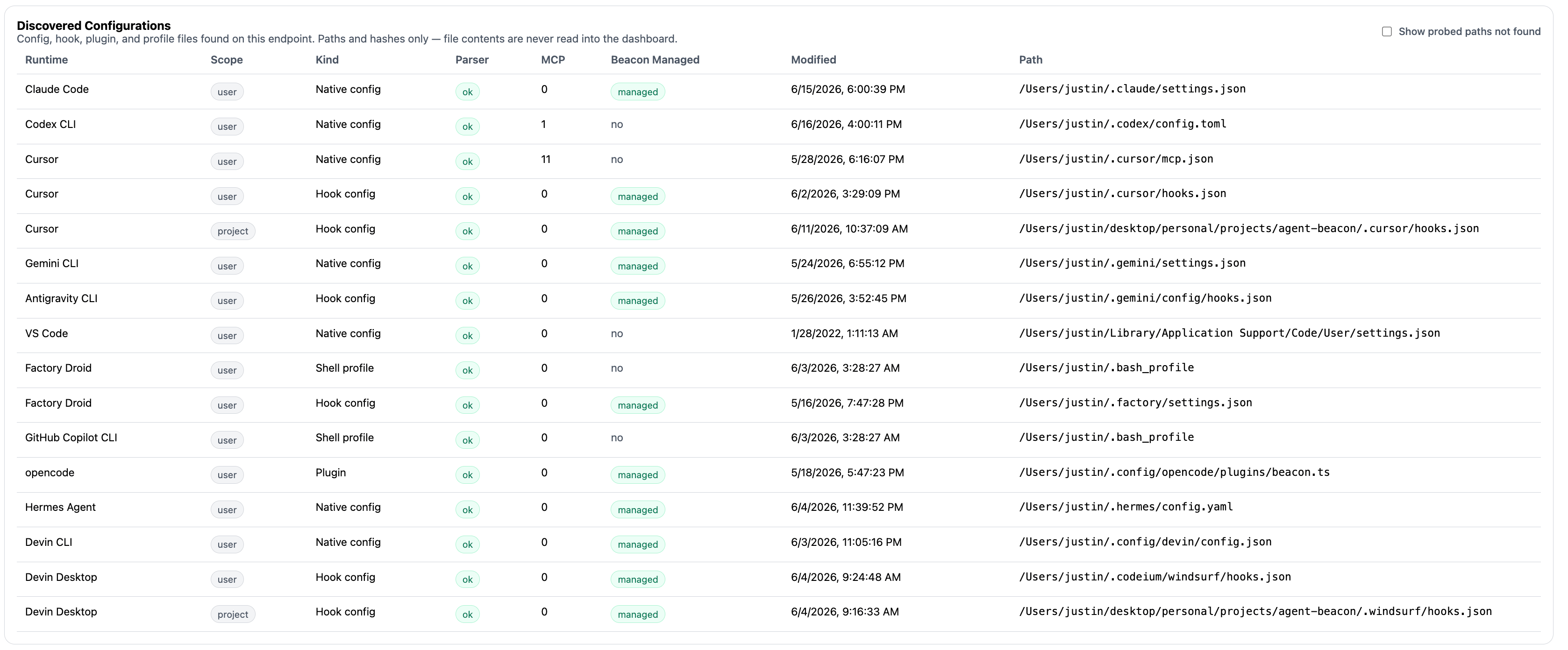
Use Agent Harness Inventory to compare installed, configured, managed, and observed state across supported runtimes.
beacon endpoint inventory summarizes each supported harness with coverage states that are useful for deployment review:
A harness can be installed but not configured, configured but not observed, or observed in a different user-mode or system-mode runtime log than the one you are reading.
Review Workflow
Start with the fleet-friendly inventory view:Show harness inventory
--all when you want to compare all supported harnesses, including runtimes that are not detected on the endpoint:
Show all supported harnesses
Discover supported harnesses
Check hook telemetry
What To Look For
- Expected harnesses that are installed but not configured.
- Harnesses configured through customer-managed settings instead of Beacon-managed hooks or OTLP configuration.
- Harnesses that are configured but not observed after a user has generated activity.
- User-mode and system-mode mismatches, especially when a system collector writes
/var/log/beacon-agent/runtime.jsonlwhile a user command reads~/.beacon/endpoint/logs/runtime.jsonl. - Hook-based runtimes that need a restart before new hook configuration is loaded.
Related
Runtime Surface Overview
Compare supported harnesses and collection paths.
beacon endpoint inventory
Review inventory flags, filtering, and JSON output.
beacon endpoint discover
Discover supported harnesses and telemetry state.
beacon endpoint hooks
Install, inspect, and uninstall hook-based telemetry.